
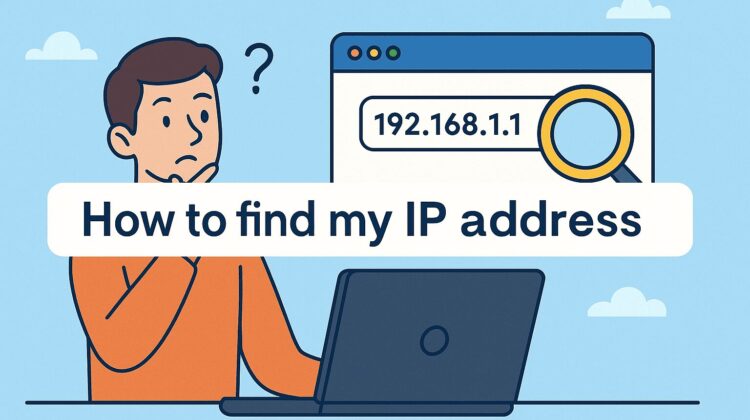
Your IP address (Internet Protocol address) is like your home address on the internet — a unique digital identifier that helps websites, apps, and networks communicate with your device.
Understanding your IP address is key to protecting your online privacy, bypassing geo-restrictions, and staying secure.
🌐 What Is an IP Address?
An IP address is a unique number assigned to every internet-connected device. It helps route traffic between your device and the rest of the web.
There are two main versions:
- IPv4: The classic format (e.g.,
192.168.1.1). - IPv6: A newer, longer format (e.g.,
2001:db8::1) designed to handle more devices.
Types of IPs:
- Public IP: Assigned by your ISP, visible online.
- Private IP: Internal address for your home network.
- Dynamic IP: Changes automatically when you reconnect.
- Static IP: Stays the same permanently.
🖥️ Best Websites to Check Your IP Address
Here are top free IP lookup websites that provide detailed information about your connection:
| Website | Features |
|---|---|
| WhatIsMyIP.com | Shows IP, ISP, proxy, and VPN detection. |
| IPlocation.net | Multi-database lookup for accurate location. |
| WhatIsMyIPAddress.com | Displays a map with geolocation data. |
| Whois.domaintools.com | Provides domain/IP ownership details. |
| Speedtest.net | Tests internet speed and shows IP. |
💡 Tip: Use at least two sites to confirm your IP location accuracy.
🔒 How to Change Your IP Address Safely
Changing your IP helps boost security, unblock websites, and protect your identity online.

1. Use a VPN (Virtual Private Network)
VPNs encrypt your connection and replace your real IP with one from another location.
Top VPNs:
- NordVPN: Ultra-fast, secure, and reliable.
- ExpressVPN: Best for streaming and security.
- Surfshark: Affordable and supports unlimited devices.
2. Use a Proxy Server
- A proxy acts as a middleman between you and the internet.
- Good for basic privacy but not as secure as VPNs.
- Free options: Hide.me, Hidester Proxy.
3. Use Tor Browser
- Tor encrypts traffic across multiple nodes, giving strong anonymity.
- Slower but ideal for privacy enthusiasts.
4. Restart Your Router
If you have a dynamic IP, restarting your router often gives you a new IP address.
5. Manually Configure Your IP
You can assign a custom IP address via Windows, macOS, or Linux network settings.
🛡️ Security & Privacy Tips
- Always use a premium VPN for privacy.
- Avoid free or cracked IP-masking apps to prevent malware.
- Regularly check your IP to detect suspicious changes.
- Combine a VPN with antivirus software for better protection.
📌 Final Thoughts
Your IP address is your digital identity. Knowing how to check and change it helps you stay safe, secure, and anonymous online.
With tools like VPNs, proxies, and Tor, you can take full control of your privacy and access content without restrictions.
Leave a Reply